Some of you had requested a Print Friendly option for my posts, and I’m proud to announce that Saving & Giving is now officially print friendly! If there’s a post that you would like to print, simply click the green Print Friendly button at the end of it.

A new window will open. There is a small box in the upper right corner of the new window. You can check this box to remove any images from the post.
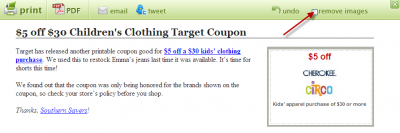
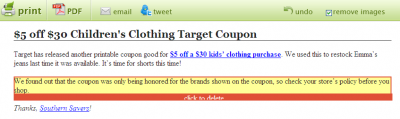
You can also click on the different sections to delete them, leaving you with just what you wanted to print.
You can then choose to print a paper copy or a PDF file.
I think you’ll find this especially useful for the store deals. If you’re planning a trip to CVS and want to take along the list of this week’s best deals, you can print a copy, keeping only the deals that interest you.
Enjoy!