On the new Swagbucks toolbar, there is a message notification icon. It looks like this:
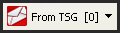
When a new swag code is available, you will see the zero change to a number. When this happens, click the icon. A little menu will appear, and you can click on a message. The message will give you the swag code. Highlight the code, and click Edit > Copy. (You don’t need to highlight the quotation marks.)
Then head over to the Swagbucks home page (HERE) and click in the “Enter a Swag Code” box. Then click Edit > Paste. Your code will appear in the box. Then click the Gimme button.
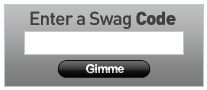
You will see your Swagbucks total update to include the freebie!
If you’re not signed up for Swagbucks, or if you’re wondering what in the world Swagbucks is, you can read more about it HERE. Or you can sign up HERE. This is my favorite way to earn online!